Make study notes from lecture videos (a method that sticks)
Watching a lecture feels productive, but much of it fades within days. Learning research has a fairly consistent message: material sticks when you process it in your own words, test yourself instead of rereading, and review spaced out over time. A transcript makes all three much easier. Here is a simple method built around a transcript booklet.
Step 1: Get the whole course as text
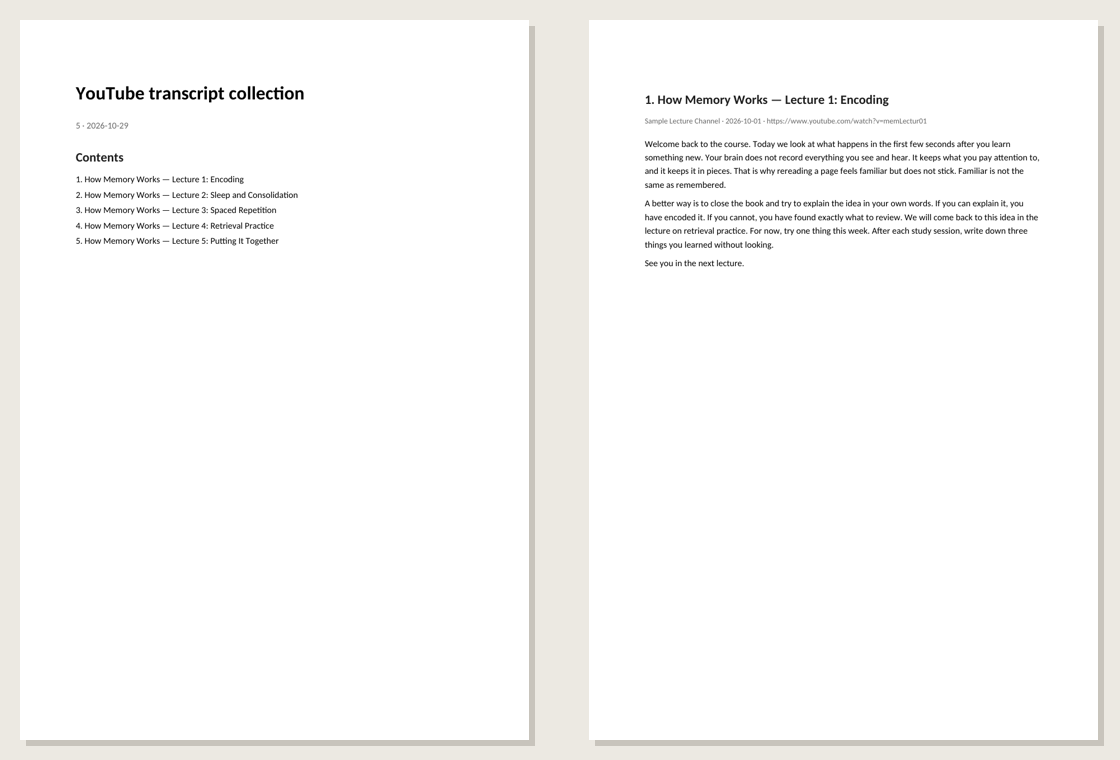
Paste the course playlist into the dashboard and download the Word booklet with timestamps off. You now have every lecture as readable paragraphs, one per chapter, with a table of contents. See collecting a playlist for details.
Step 2: Watch first, then read
Watch the lecture once at normal speed without taking notes, just to follow the story. Then read that lecture's transcript. Reading is faster than watching, and you can slow down on the hard parts, which a video does not let you do as easily.
Step 3: Write notes in your own words
Do not copy sentences from the transcript; that only moves text around. Instead, for each lecture write on one page:
- The main question the lecture answers, in one sentence.
- Three to five key ideas, each in your own words.
- One example for each idea — from the lecture or, better, your own.
- What confused you, as a question to check later.
If you get stuck explaining an idea, that is the part to reread in the transcript.
Step 4: Turn notes into questions
Close the transcript and write questions that your notes answer: "What is the difference between X and Y?", "Why does Z happen?". Answering questions from memory (retrieval practice) strengthens memory more than reading the same page again. An AI assistant can help draft questions from the transcript — see analyzing a booklet with AI — but answer them yourself, without looking.
Step 5: Review on a schedule
Go through your questions again after one day, then after about a week, then after a month. Each time, mark the ones you missed and reread only those passages in the transcript. Spacing reviews out takes less total time than cramming and lasts longer.
Paper or screen?
Many people concentrate better on paper. Print the transcript of a hard lecture and annotate it by hand — see saving transcripts as a PDF. If you prefer digital notes, export Markdown and keep each lecture as a note in Notion or Obsidian next to your own summary.
A weekly routine
| Day | What to do | Time |
|---|---|---|
| Day 1 | Watch the lecture, read the transcript, write the one-page notes | About 1.5× the video length |
| Day 2 | Answer your questions from memory | 10–15 minutes |
| Day 7 | Answer again, reread only what you missed | 10 minutes |
| Day 30 | Final review of the whole unit | 20 minutes |
Respect the lecturer
Transcripts and notes made from a course are for your own learning. Do not share the transcript publicly or sell notes that copy the lecture's wording.