Quote and cite YouTube talks in research and essays
Lectures, conference talks, interviews and expert explainers on YouTube are legitimate sources for essays and papers, as long as you quote them accurately and cite them properly. A transcript makes the first part easy: you can search a one-hour talk for the exact sentence instead of scrubbing through the video. This guide covers the whole workflow, from finding the quote to formatting the reference.
1. Find the exact words
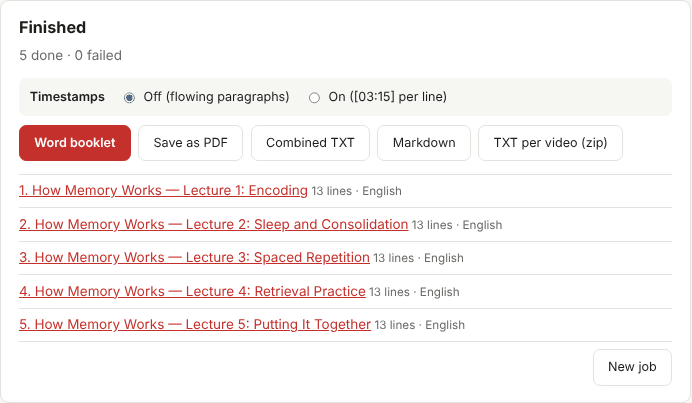
Collect the video in the dashboard with Timestamps set to On, then download the Word booklet or Combined TXT. Search the text for the key term. Each line starts with a time code such as [14:32], which you will need for the citation.
2. Verify against the video
Never quote a transcript without listening to the passage. Automatic captions mishear names, numbers and technical terms, and even creator captions are sometimes condensed. Open the video at the timestamp, listen to the sentence, and correct the wording to what was actually said. Mark any uncertain word with "[inaudible]" rather than guessing.
3. Record the details you need
Each video in a TranscriptBinder booklet begins with its title, channel, publish date and link, so the bibliographic details are already in front of you. Note:
- the speaker's name (if different from the channel) and the channel name;
- the video title, exactly as shown;
- the publish date and the URL;
- the timestamp of the quote and, for long videos, the end time of the passage;
- the date you accessed the video, if your style requires it.
4. Format the citation
Style guides treat a YouTube video as an online video with the uploader as author. The examples below follow the general patterns of the major styles; check your institution's current edition for details such as italics and date formats.
| Style | Reference list pattern | In-text |
|---|---|---|
| APA 7 | Channel Name. (Year, Month Day). Title of video [Video]. YouTube. URL | (Channel Name, Year, 14:32) |
| MLA 9 | "Title of Video." YouTube, uploaded by Channel Name, Day Month Year, URL. | ("Title" 00:14:32) |
| Chicago (notes) | Speaker or Channel, "Title of Video," YouTube video, duration, posted Month Day, Year, URL. | Note with the timestamp |
If the speaker is a named person (a lecturer, an interviewee), APA and Chicago let you lead with the person's name and put the channel in brackets or after the title. When in doubt, include both.
5. Quote sparingly and fairly
- Quote the sentences you actually discuss; summarize the rest in your own words with a citation.
- Keep the speaker's meaning. Do not cut a sentence so that it says something different.
- Mark your edits: use "[…]" for omissions and square brackets for clarifications.
- Do not attach the full transcript to your paper or post it online; a link and a timestamp are enough for readers to verify.
Working across many sources
Writing a literature review from a conference playlist? Collect the whole playlist into one booklet, read it with timestamps off for speed, and keep a second export with timestamps on for citing. For dozens of talks, an AI assistant can help you find which talk mentions a topic — see analyzing a booklet with AI — but always go back to the text and the video before you quote.